
Copy the video link
Open the Facebook video you want to download, tap Share, and then choose Copy link.
Save Facebook videos and Reels
Download public Facebook videos and Reels in your browser. Paste the post link to save the available file on your phone or computer, without an app or account.
To look up several videos, tap the + button next to Download and add the links.
Follow the steps or watch the video tutorial.
Open the Facebook video you want to download, tap Share, and then choose Copy link.
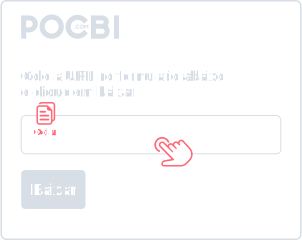
Paste the link into the field above or tap Paste. Wait for the video details to load.
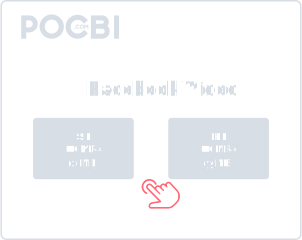
Choose an available quality and tap Download. Check your browser’s download list or your device’s Downloads folder for the MP4.
Pocbi is free and lets you download public Facebook videos and Reels by link. It does not ask for your social network login or password.
You can also download videos from other social networks in Pocbi.
Add several links, check the videos in the player and choose the files to save. Media details load after you paste the address.
Save Facebook videos to watch later or share with someone, respecting the creator’s permission.
To save a Facebook Reel, copy its link and check the download options in Pocbi.
Use Pocbi in your browser on Android, iPhone, Windows or Mac. No app or extension is required.
Pocbi adds no logo or watermark to Facebook videos and Reels. Elements embedded in the original file are preserved.
Tap the + button and add links to look up several videos at once.
Check each preview before choosing which files to download.
The player lets you watch the video in Pocbi before downloading it.
Once the details load, use the preview to check that the result is the video you want to save.
Save Facebook videos and content from the other supported networks listed below.
Open the Facebook video, tap Share and choose Copy link. Paste the address into Pocbi and choose an available quality. After downloading, check your browser’s download list or the Downloads folder.
Yes, you can download videos on Android phones, iPhone, and also on desktop computers.
Yes. Tap + to add links and look up more than one video in the same request.
Yes, when the original video has audio available. In some cases, Facebook may separate audio and video or apply content restrictions, which can affect the final result.
In most cases, the video is saved as MP4, a format that works well on phones, computers, browsers, and messaging apps. Format availability may depend on the original file.
The file usually goes to the Downloads folder. Check your browser’s download list; on mobile, it may also appear in your gallery.
The download may fail when the link is incorrect, the video was removed, there is a region block, an access restriction, or Facebook temporarily changes how it delivers the file. Check the link and try again.
Yes. After downloading the video to your phone, you can share it on WhatsApp as long as you respect the creator's rights and use the content in a permitted way.
Yes. Download public Facebook videos for free, without an account or app.
Pocbi uses HTTPS and does not ask for your Facebook login, password or account access. Read the Privacy Policy for details about browsing data.
No. Pocbi does not ask for your login, password, or account access. To download public Facebook videos, just copy the post link and paste it into the tool.
No. Pocbi works directly in the browser, with no app, extension, or software installation. You only need to copy the video link, paste it into the tool, and choose the available download option.
No. Pocbi is not a video hosting platform and does not keep a public library of downloaded files. The tool only processes the link you provide and lets you save the file on your own device.
It depends on the content and how it will be used. Pocbi should be used to save your own videos, public videos, or content that is allowed for personal use, offline viewing, study, or reference. Do not redistribute, repost, edit, or monetize other people's videos without permission from the creator or rights holder.