
1. Copy the video link
Open the video on Pinterest that you want to save. Tap the Share icon below the video and choose Copy link.
Save Pinterest videos with no watermark
Paste a public Pin link to download available videos and images in your browser. No app or account is required. Quality depends on the post and the formats supported by the service.
Open the video on Pinterest that you want to save. Tap the Share icon below the video and choose Copy link.
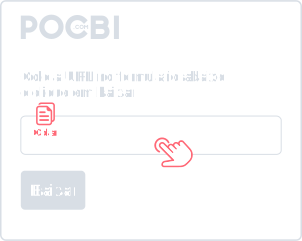
With the link copied, tap the paste button next to the form above and then tap Download. On desktop, right-click and choose Paste.
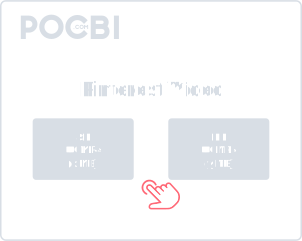
Check the options shown, choose an available video or cover image, and tap Download. Then check your browser download list to find the file.
Use Pocbi to save public Pinterest videos and images by link. Add different links to the form and check the media available for each post before downloading.
Paste the link and choose a file to download on your phone or computer. Pocbi does not ask for an account or social network login.
Open Pocbi in your browser on iPhone, Android, Windows or Mac.
Use the website without installing an app or extension.
Pocbi does not add an extra watermark to the available file. Logos, credits, and other elements already embedded in the original video may remain.
Formats and resolutions depend on the media provided by the source and the options supported by the service. Check the information shown before downloading: not every Pin has the same quality options.
Add several links to look up more than one video in the same request.
Tap + next to Download to add another link.
When a Pin contains several supported media files, Pocbi shows the files it finds so you can choose which ones to save. Availability depends on the post; private, removed, or externally embedded content may not be available.
The Chrome extension adds a download button to Pins as you browse Pinterest. You can also copy the link and use the Pocbi website.
Chrome ExtensionDownload Pinterest videos and content from other supported networks in the same place.
Open the Pin in Pinterest, tap Share, and choose Copy link. Paste the address into Pocbi and check the available files. Choose a file and tap Download. Find it in your browser download list or the Downloads folder on your phone.
Copy the Pin link in Pinterest, open Pocbi in Safari, and paste it into the form. Choose an available file and tap Download. Check Safari downloads or the Files app. To save it to Photos, open the file and use the sharing option available on your iPhone.
Open the Pin and copy its link from the address bar or the Share option. Paste it into Pocbi, choose an available file, and click Download. The destination depends on your browser settings; check the download list.
Pocbi does not add an extra watermark. Logos, credits, or marks already embedded in the original video may remain in the file.
Check your browser download list and your device Downloads folder. On iPhone, also check the Files app. The destination depends on your settings; saving the file to your gallery may require an extra step.
Yes. You can use Pocbi for free in your browser without creating an account, providing your Pinterest password, or installing an app.
Check the format and resolution shown for each available file. Availability depends on the source content and service support; not every Pin offers Full HD or 4K for download.
You do not need a Pinterest login or password. Pocbi processes the link and may temporarily retain results, previews and technical data to handle the request. Read the Privacy Policy for data processing details.
When a post contains several supported media files, Pocbi shows the files it finds so you can choose which ones to download. Availability varies; private, removed, or externally embedded content may not be supported.
Check that you copied the complete Pin link and that the post is still public and accessible. Downloads may be unavailable for private, removed, or unsupported content. If Pocbi displays an error or asks you to wait, follow that guidance before trying again.